Video Contact Sheet *NIX
aka vcs
Projects index
Index
- Details (and download)
- Updates / WiP
- Description
- Default behaviour
- Documentation
- Samples
- A standard/simple sample (not yet written)
- A slightly more complex sample
- A complex sample
- Tips & tricks
- Manually setting width
- Known issues
- TODO / Features of future versions
- Similar tools
- ChangeLog
Details
- Current version: 1.0.100a, released
on April 10th 2009. Get
[plain text]
[gz]
[bz2]
[deb (all arches)]
- Status: Stable (some bugs granted of course) on Linux.
Beta on FreeBSD.
Alpha in any other OS.
DVD mode is experimental and some rarely used options are barely tested.
- Released under the terms of the GNU
LGPL.
- To track new releases, take a look at its freshmeat page.
- Requirements (most desktops should have all, or most, of them):
ImageMagick (at least version 6) (convert, montage and identify commands),
mplayer,
FFmpeg,
bc,
and some common stuff available on most sane desktops: bash (supported >=v3.1, 2.x is expected to work but not guaranteed),
sed, grep/egrep, getopt and cut.
DVD support (optional) requires lsdvd and fdisk.
- Slightly buggy :P
Updates / WiP
2009-03-16: WiP updates moved
I've started to move these work in progress updates into my main site.
Future updates will be posted at http://outlyer.net/etiq/projects/vcs/.
2009-03-16: Beyond Linux
Before the next release I'd like to make VCS work better in other OSes beyond Linux. Linux is my (current at least) OS
of choice and the one I'm not familiar with so it's also obviously the OS in which I develop and test VCS.
Thanks to virtualisation
gaining a lot of momentum I'm now able to try operating systems I've never worked with (and which I'm pretty sure
will make VCS choke in ways I never expected); e.g. the very last major feature, DVD vidcapping, is written in a way not compatible
with, at least, FreeBSD. I'll focus on making vcs work better (or at all) on ther systems for a while, let's see
how it turns out.
2009-03-11: 1.0.99 released.
New version released, finally implementing DVD support (both ISO and DVD devices should work).
Also JPEG 2000 output, a more Polaroid™-like
polaroid mode ;) (the older one has been renamed to photos); the timestamp is now reduced
for smaller captures plus the usual batch of fixes/tweaks.
DVDs
Capturing from DVDs is a bit tricky, the filename is passed as an argument to -V while
the title number must be provided as if it were the file to capture, e.g.: $ vcs -V /dev/dvd 1
will capture the first title from the inserted DVD.
Passing 0 as DVD title will use the longest title in the disc (which is usually the main title):
$ vcs -V someiso.iso 0
DVD support *requires* lsdvd and fdisk (fdisk is used to detect the size of DVDs)
in this first version.
JPEG 2000
JPEG 2000 output (*.jp2 files) is used by passing the -j2 or --jpeg 2
option.
New polaroid mode
As for bugfixes: I finally came across the previously unreproducible bug that made the polaroid
and overlap modes place all images on the same spot. Guess it was a problem with a newer version of
ImageMagick since I've also encountered a lot of problems with some of the commands I was using.
I've fixed all I was able to find.
As a side effect, I've reworked once again the alignment of the different sheets.
This will be renamed as 1.1.0 if it works well enough for others.
2008-04-16: 1.0.12 released.
New version released, it fixes highlights, which were broken in the last version and a couple of long-standing cosmetic bugs.
Also now requires minimum length before using the "end offset" i.e.: will only ignore a bit off the end of the video
if it's long enough, by default 19'30'' (the default value was chosen based on the fact that most series are at least 20' long,
and since the automatic end offset is intended to skip credits, it's most useful with series and films). Your input is welcome
as always.
To change the minimum length set the desired value to variable MIN_LENGTH_FOR_END_OFFSET in your configuration file, e.g.:
echo MIN_LENGTH_FOR_END_OFFSET=\'1h30m\' >> ~/.vcs.conf # for 1h 30'
I just noticed a bug while editing this page :/ and it's been there for quite awhile... great... whatever, most probably few people, if anyone
suffered it, since it required a pretty specific timestamp format being used in the command-line.
Finally I've also re-added the black border after the highlights, which was removed a long time ago due to it breaking vcs back then.
See the changelog as usual for full details.
2008-04-08: 1.0.11 released.
New version released with a couple fixes and cosmetic touches.
Fixes include a workaround for cases in which mplayer outputted all-black (or all-equal) captures. Also slightly better
support for older/tighter systems (e.g. Damn Small Linux).
Most notably in the cosmetic side is better thumbnail alignment in extended mode (-e), slightly less padded captures and drop of milliseconds
when using mplayer (since they aren't meaningful at all).
See the changelog as usual for full details and credits.
I'm also providing a debian package now.
I was holding off a bit this release since there's still some known stuff to fix or refine but I'll rather publish now what I've
since, well, who knows when will be the next release ;)
Important note: this version's support for highlights (-l) is broken,
This version is deprecated for this reason, use the last version instead.
I'll update ASAP but if you need them
(does anyone use them anyway?) please use 1.0.10.
2007-11-08: 1.0.10 released.
New version released wth a bugfix and a couple new features: allow disabling timestamps and/or shadows.
See the changelog below.
I've also published a bit of information on the future
of VCS and comments would be very welcome (in short, most probably, I'll be rewriting it in a different language than
bash).
Finally, I'm moving the documentation into a wiki and filling in a bit more, will be live soonish I hope.
Description
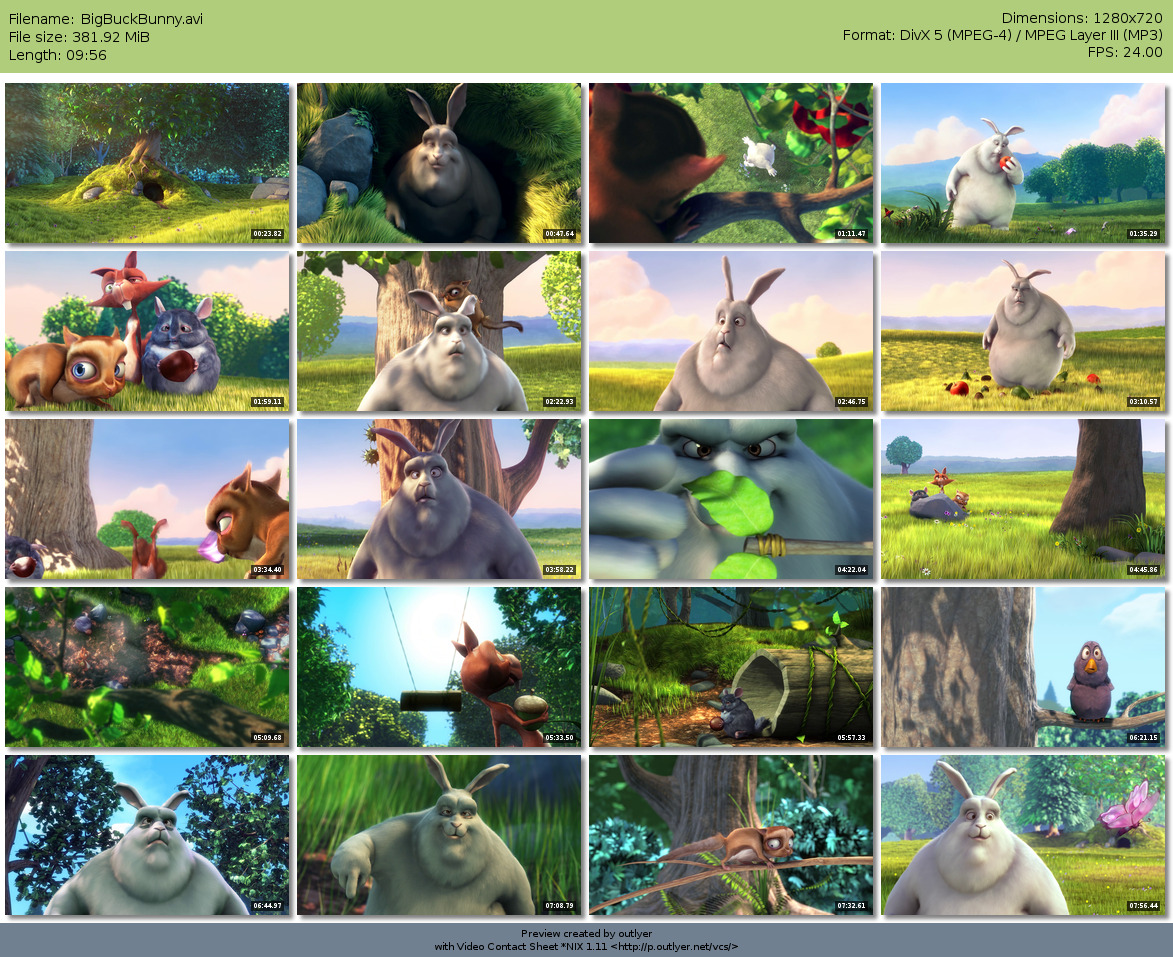
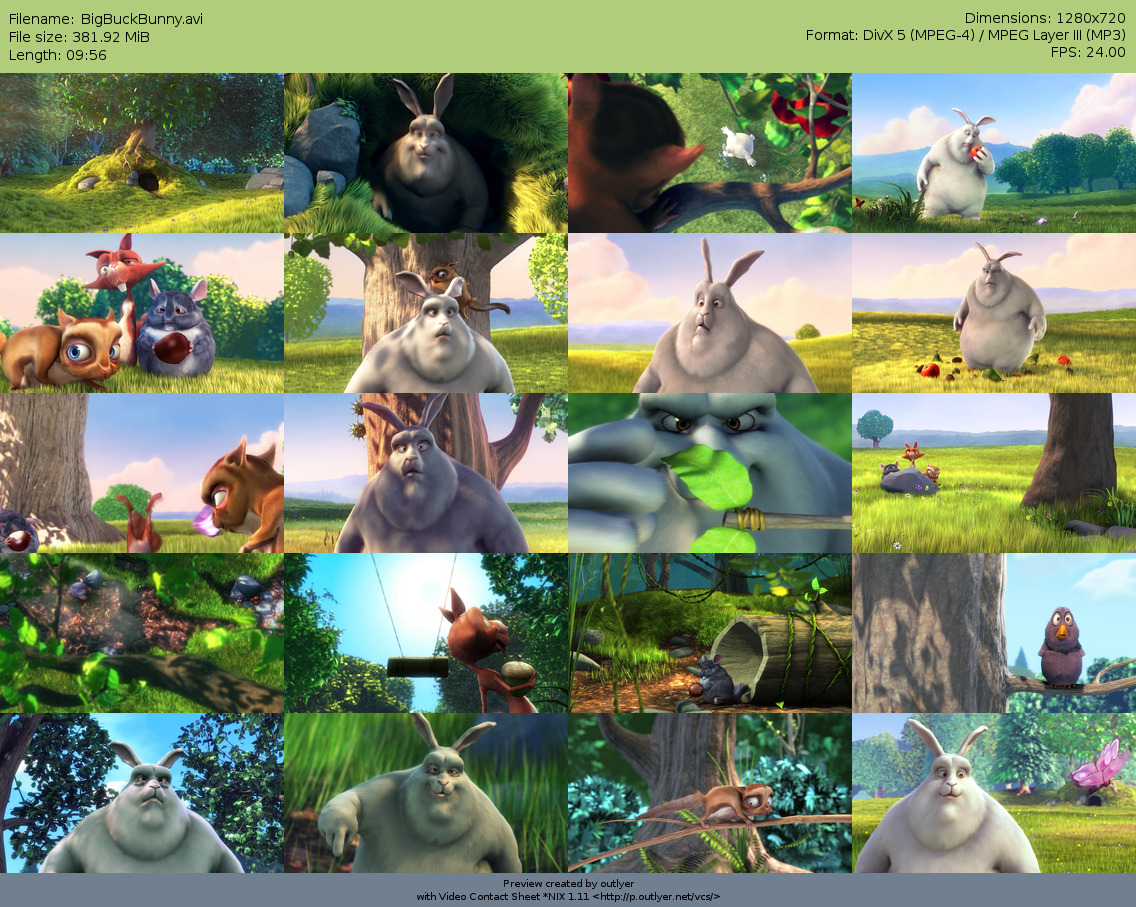
This is a bash script meant to create video contact sheets (previews) of
videos. Any video supported by mplayer and ffmpeg can be used.
A note of warning:
Unlike most similar tools it, by default, makes screenshots the same size as
the video, see below for details on how to change this.
Currently it's in beta status, it works quite well but has a handful
of annoying quirks, I'll try to fix as much of it I can though.
Any contribution, suggestion or bug report is welcome.
Take a look at the documentation page (currently unfinished)
and use the --help option to learn how to use it.
Notes
- Using -i or -n with values that lead to the same number of vidcaps
doesn't necessarily yield exactly the same vidcaps, you'll
have to play with them for best results.
Example: With a video that lasts for 22min 14secs, -n 6
will create the six vidcaps:
3:22, 6:44, 10:04, 13:28, 16:50 and 20:12,
while -i 3m will create
3:00, 6:00, 9:00, 12:00, 15:00 and 18:00.
As you can see, -n distributes the vidcaps all over the video
while -i N starts at N and goes in increments
of it up to the end.
- You can set the aspect ratio of the video with -a. It is only
required for anamorphic material and discouraged for the rest.
It can take either a floating point number (like 1.33 or
1.778) or a fraction (like 4/3 or 16/9).
The latter is slightly preferable.
Default behaviour
By using configuration files and/or command line options the default behaviour
can be tweaked to your needs, this are the defaults, followed by a link with
the explanation on how to change it:
Documentation
Documentation can be found in a separate page, but you might also want to take a look at the tips in this page.
Samples
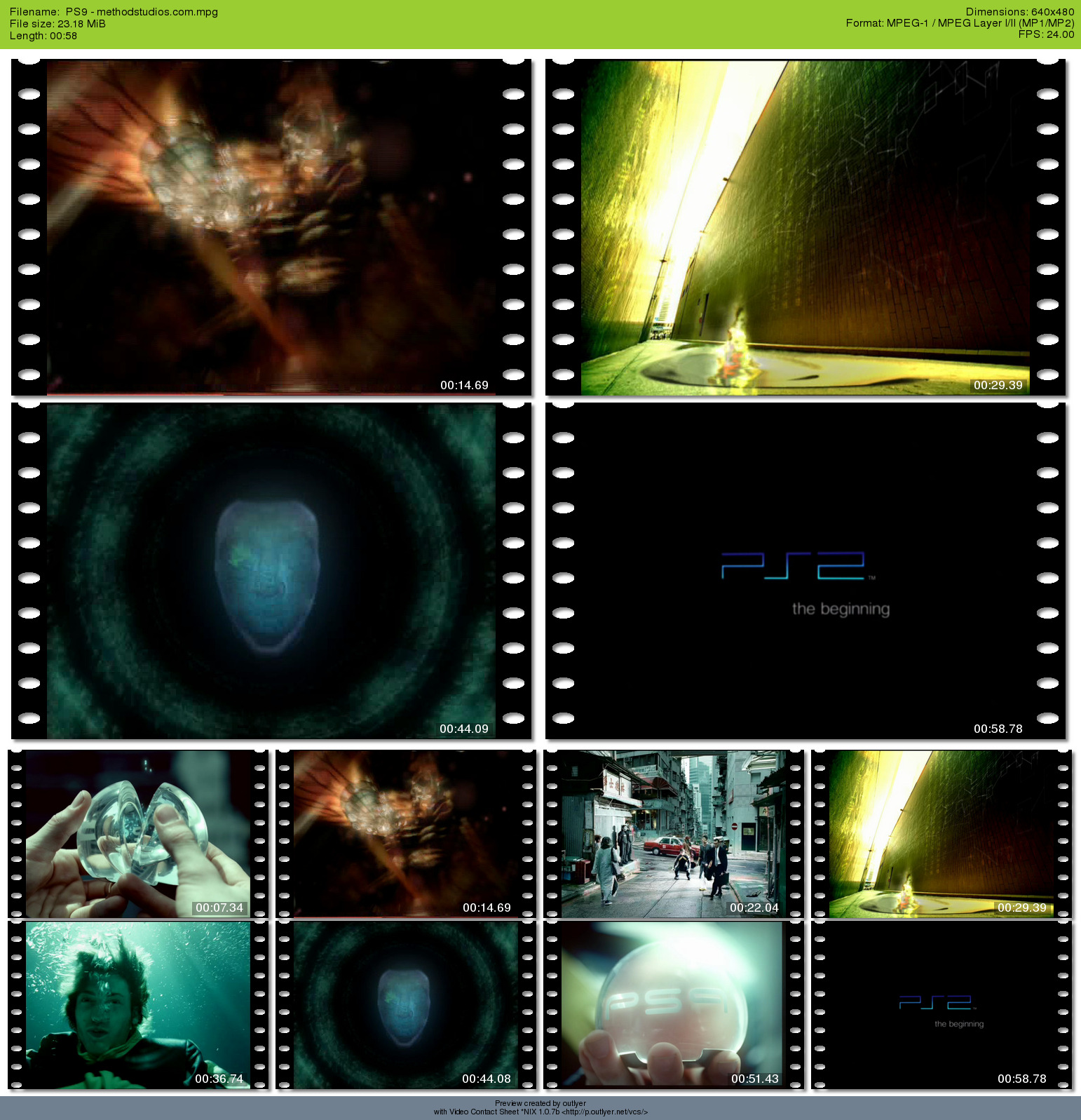
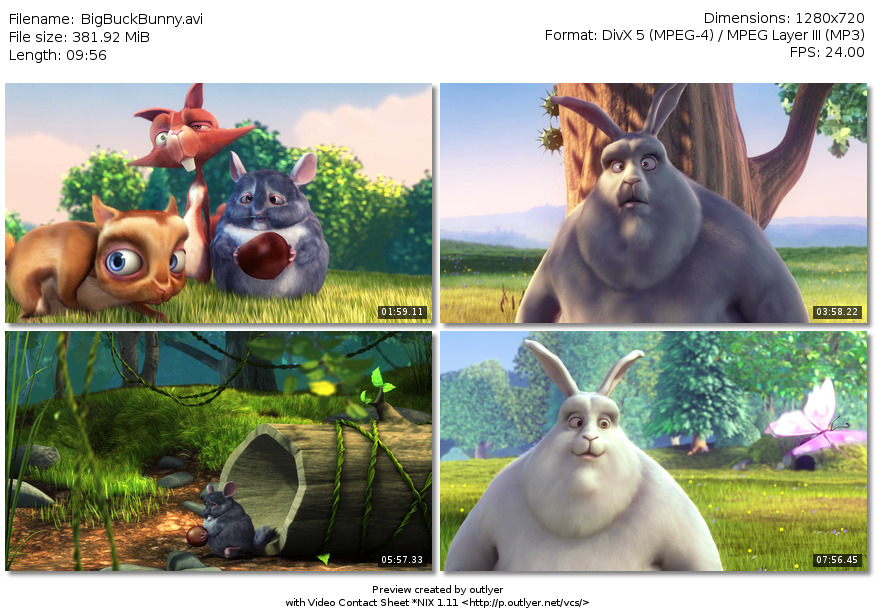
A standard/simple sample
TBA
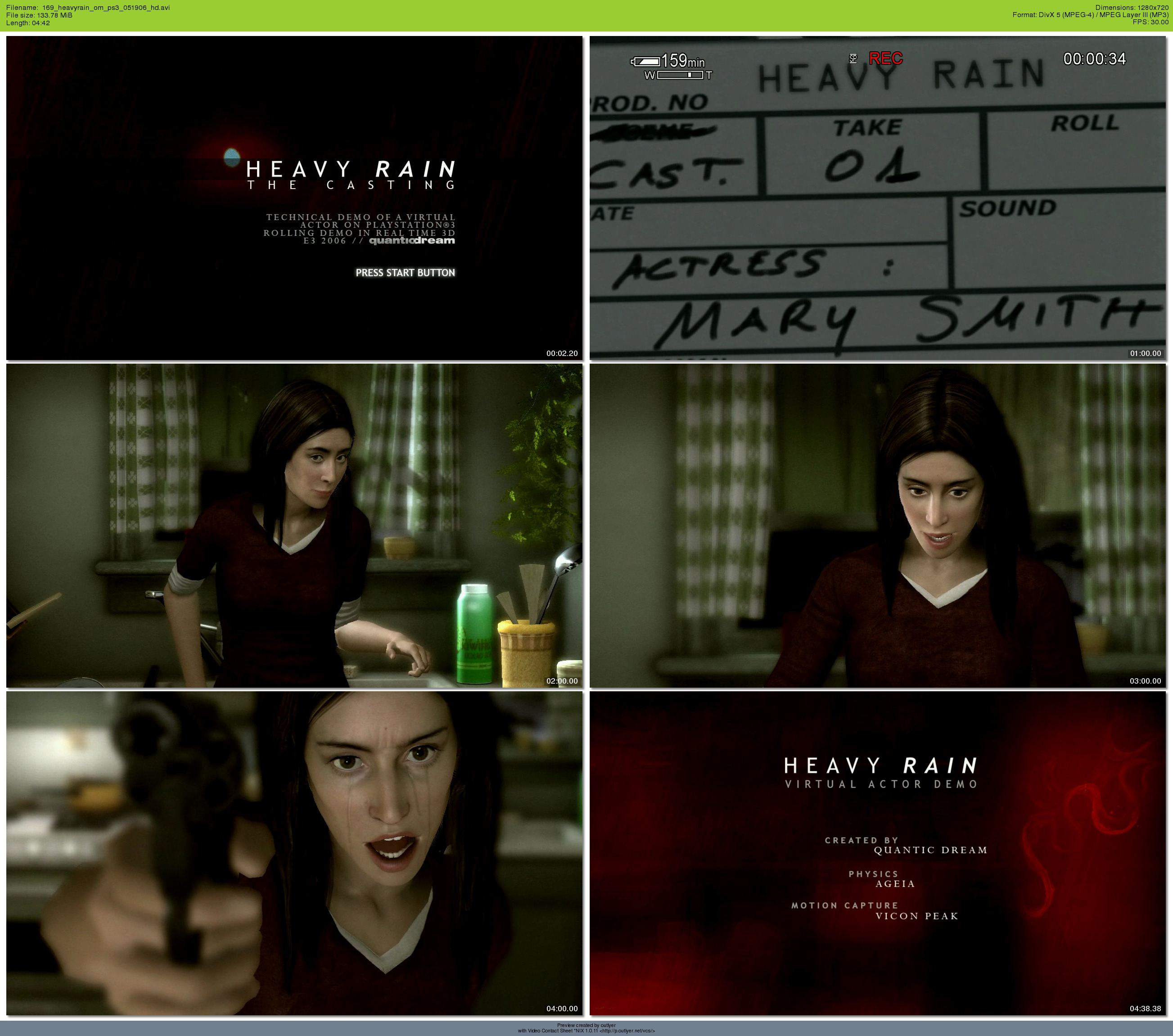
A slightly more complex sample (720p)
For this sample I used the Heavy Rain PS3 techdemo, downloaded from
GameSpot.
This video is 720p (1280x720) so a two column contact sheet would be
very wide, I used one column with -c 1.
The video is shorter than the default interval (which is 3 mins), so
I used a lower interval (1 minute) with -i 1m.
I also wanted the title screen and the ending credits to appear, so
I located a second in which they're shown with a video player and
added them with -S 1 -S 4m38. (This is second 1 and 4mins 38secs).
Command used:
$ vcs -E0 -S 2 -S 4m38 -i 1m 169_heavyrain_om_ps3_051906_hd.avi
-E0 is required in newer versions to produce the same output, command in 1.0.2b: $ vcs -S 2 -S 4m38 -i 1m 169_heavyrain_om_ps3_051906_hd.avi
Result:
(previous sample from version 1.0.2b).
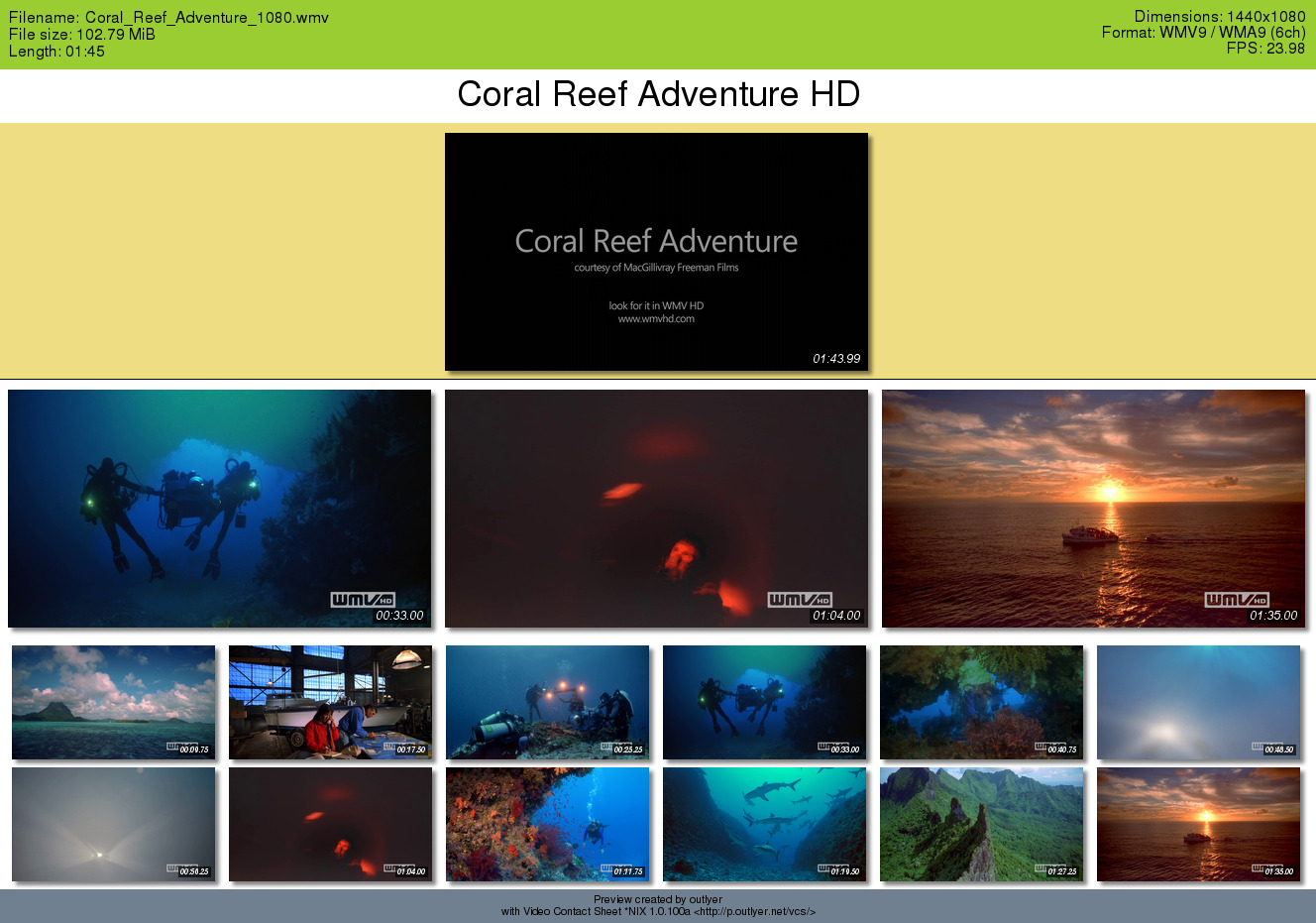
A complex sample (1080p)
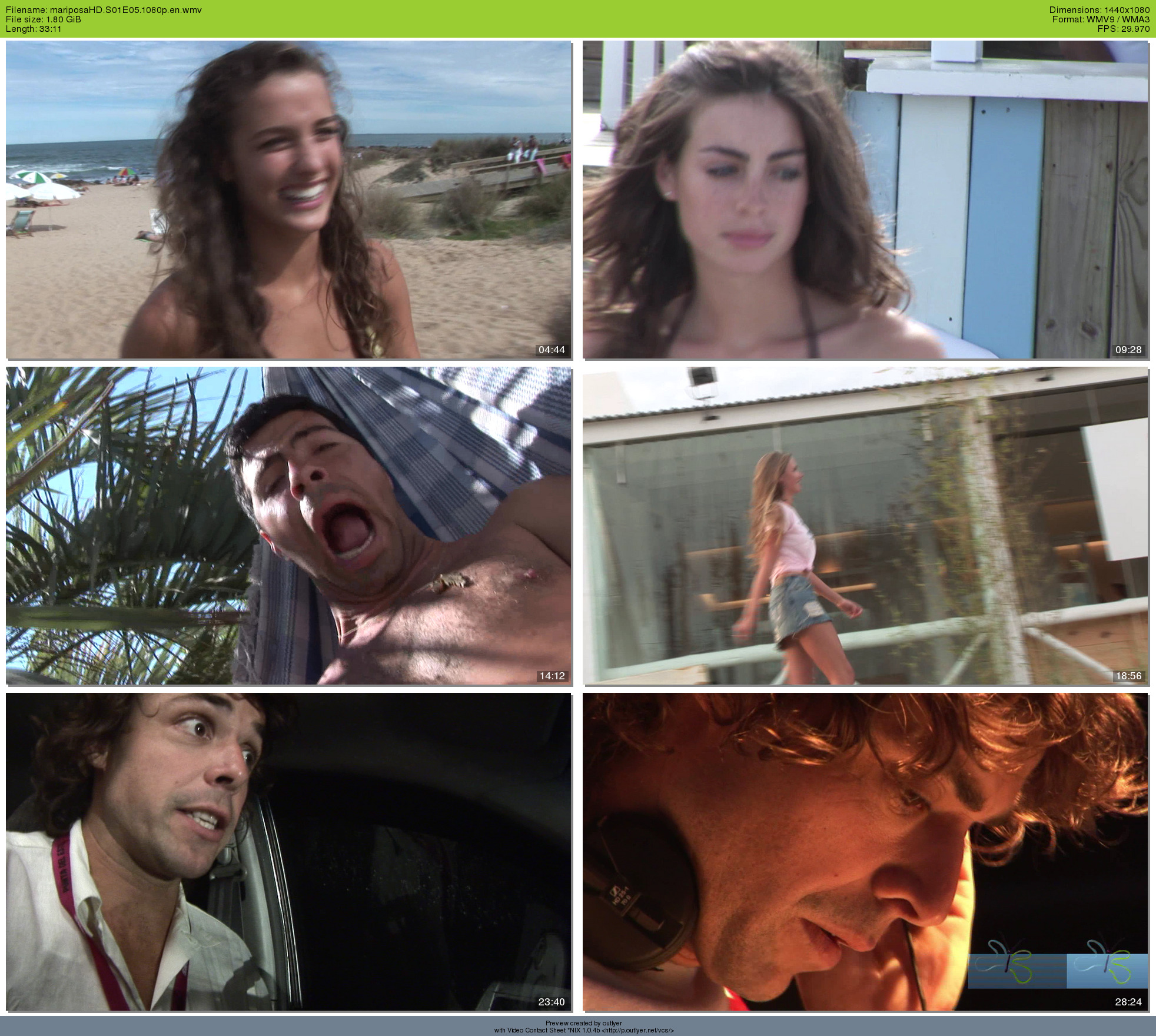
For this sample I used one of the nice videos of mariposaHD.
- Problem #1: HD video: output would be huge
- Workaround: use output height (-H)
- Problem #2: Anamorphic WMV9 video
- Workaround: Use -a to set the correct aspect ratio.
- Problem #3: Problematic file/media player: It won't play upto the end (might be corrected in newer player versions)
- Workaround:
Set an ending time manually (with -t).
Command line used:
$ vcs -t 28m24 -n6 -a 16/9 -H 540 mariposaHD.S01E05.1080p.en.wmv
This was the commandline required before 1.0.4b:
$ vcs -n7 --shoehorn="-s 960x540" -H 540 -t 30m mariposaHD.S01E05.1080p.en.wmv
Result:
(previous sample from version 1.0.4b).
Tips & tricks
Manually setting width
This might not be obvious at first glance but you can set the
width manually in a very simple way.
Although capture width cannot be set directly it can in an easy enough
way:
Let's say you want your captures from a 640x480 source to be 1024x300, using -H300 would lead to captures being 400x300, you would need to do some numbers to adjust the aspect ratio to match the desired 1024x300 (that would be -a3.41 or -a256/75)... but you don't need to set a canonical aspect ratio, just remember aspect ratio is the same as width / height and you can simply use:
-H 300 -a 1024/300.
Yep, not as straightforward as an hypothetical -W 1024 would have been but, oh well :P
Known Issues
Remember this is a work in progress, please report any bugs you encounter.
- The filename and meta info isn't shrinked so when using one column or small thumbnails
with a long-enough filename the text will get overlapped.
- Seems to fail when the amount of captures is too close to the length.
Only on very short videos?
- Fails on some files (gets stuck forever while capturing the first frame):
- It seems to fail on matroska (mkv) files.
- On some other files using the workaround (only from 1.0.7a!) might work.
- Timestamp size is too big/small when the capture size changes with -H
- Setting heading font size too big gets it cut. Might have no solution (wrapping doesn't seem
like a good solution in this case). Pointed by Dougn Redhammer.
- Workaround from 1.0.7a Won't print filenames in non-latin alphabets correctly.
- Corrected from 1.0.99?
The warning
Detected 0 audio channels.
Does this version of mplayer support the audio codec (WMA9)?
Is pretty normal if you're on a system other that x86 (this includes AMD64/EMT64/x86_64).
When on AMD64 it can be solved by running mplayer in a 32 bits chroot, other systems will
probably have to live with this.
- Corrected from 1.0.99
Funky Polaroid mode
places all thumbnails on the same position (with random rotations). (Note it should place them in
a grid with random rotations). Note: Might only appear with newer versions
of ImageMagick. Pointed by Aleksandar Urošević.
- Corrected from 1.0.4b?
Some calculations are
incorrect, leading to a one capture difference in some circumstances.
Multi-file support is currently broken:
Capture count doesn't get reset. Pointed by Marco Liguorini.
Temporal vidcap is not removed. Pointed by Marco Liguorini.
TODO / Features of future versions
- Allow percentages in -H.
- Default command line options override-able from the config file.
- Allow using text outlines. Suggested by Dougn Redhammer.
- Allow manually setting the padding. Long overdue.
- (Low priority) allow disabling milliseconds in timestamps. Suggested by Daniel.
- Refine padding (see below).
Done / Cancelled
- (mostly) DONE in 1.0.11:
Reduce/adjust padding. Suggested by Daniel.
Might require some adjusting yet.
- DONE in 1.0.10:
Optionally disable shadows. Long overdue and pointed by Daniel
- DONE in 1.0.10:
Upon consideration: Allow disabling timestamps. Suggested by Dougn Redhammer
- DONE in 1.0.7a:
Better granularity: Timestamps based on milliseconds instead of on seconds
- DONE in 1.0.7a:
Anonymous mode (no "Preview created by..." line)
- CORRECTED in 1.0.7a:
Correctly use the colours requested (apparently now ignores some of them).
- DONE in 1.0.5b
Highlight mode: Puts a set of user-set
captures at the start (slightly) highlighted.
- DONE in 1.0.5b
Extended mode (alias spoiler mode :P): Adds
an extra row of multiple smaller (1/4) captures.
- DONE in 1.0.5b
Command-line overrides.
- Discarded:
Make ffmpeg optional.
ffmpeg is much preferable.
leave mplayer as a last resort only.
- DONE in 1.0.4b
Support for per-dir and
system-wide config files.
- DONE in 1.0.2b
Cleanup temporal files
when interrupted.
- DONE in 1.0.1a
(Possibly): Allow more
complex human readable timestamps (e.g. 4m30s).
- Discarded:
Upon consideration (opinions welcome): Discard mplayer
as an optional capturer (would still be required).
Mplayer is pretty commonplace and some users seem to prefer it anyway.
Similar tools
Other similar tools available for POSIX/UNIX-like systems:
ChangeLog
This is a selection of the changes, only listing those of some interest
to end users. The full changelog is in a separate
file (also gzipped).
Contributors are listed there too.
1.0.100a (Published April 10th 2009) (1.1.0 "RC2")
- Preliminary support for OSes other than Linux (specially FreeBSD, on which it can be considered beta).
So far output is less clean on those systems.
- BUGFIX: Don't fail if tput fails to set console colour
- BUGFIX: Check for requirements early, shouldn't die silently
1.0.99 (Published March 11th 2009) (1.1.0 "RC1")
- Experimental support for DVDs (-V)
- Added JPEG 2000 output format (-j2)
- Polaroid mode renamed to photos mode, and introduction of new polaroid
and polaroidframe modes
- Slight adjustments in the timestamp size based on capture size.
- Better detection of video frame rate (no more 1.000 fps, in theory) and audio channels
number by using ffmpeg.
- Bugfix: Fixed overlap mode putting all images on the same location (only with newer versions of ImageMagick?)
1.0.12 (Published April 16th 2008)
- Corrected 0ms timestamps (seconds were being used as ms too)
- Re-added the (disabled for long) black border after highlights
- Added a minimun length to use the end offset
- Bugfix: Fixed the regression on highlights from the last version (extra padding was being added my IM automatically)
- Bugfix: Fixed parsing of manual timestamps including milliseconds (when seconds didn't include the s character they were accidentally
multiplied by 10!)
1.0.11 (Published April 8th 2008)
- Don't print ms when using mplayer
- Better alignment in extended mode
- Bugfix: (brown bag bug) Corrected typo in variable name that made vcs fail when setting
the default timecode derivation to number of captures instead of interval
- Some support for older versions of bash
- Added FOURCC for VC-1
1.0.10 (Published November 8th 2007)
- Allow disabling shadows (-ds or --disable shadows).
- Allow disabling timestamps (-dt or --disable timestamps).
- Added HD resolution to aspect ratio guessing (-A or --autoaspect).
- Bugfix: Fixed aspect ratio guessing for known widths paired with unknown heights.
1.0.9a (Published June 10th 2007)
Bugfix release
- Bugfix: Fixed regression introduced in 1.0.8a which broke extended mode
(Thanks to Aleksandar Urošević).
- Bugfix: Was using the incorrect number of extended mode columns.
1.0.8a (Published June 2nd 2007)
Bugfix release
- Bugfix: -c was ignored when using the interval mode (-i and default
behaviour) (Thanks to Homer S).
- Bugfix: Right side of heading wasn't using the user's font colour (Thanks to Dougn Redhammer).
1.0.7a (Published May 12th 2007)
An even more informal changelog with this release's highlights and
samples of the new features is near the start of the
page.
- Print the title before the highlights.
- Feature: End offset: Now a number of seconds (defaults to 60) from the end is ignored by default. This gives a better result with full feature films but might be an annoyance with music videos and such. Change the default with -E / --end_offset or disable it with -E0. The default can be overridden with DEFAULT_END_OFFSET.
See the what's new in 1.0.7a if you want to disable this entirely.
- Decimal point precission for seeking and timecodes
- Accept decimal point timecodes (e.g. 20s.23)
- Workaround for the problem with ffmpeg's arguments order (some files fail depending on the order of arguments) (-Wo changes the order to try to avoid the problem).
- Experimental support for non-latin alphabets in filename (-Ik / --mincho).
Added overrides for the filename font (font_filename) and for the default
Minchō font (FONT_MINCHO).
- Funky modes (
-kp / --funky polaroid,
-kr / --funky rotate,
-ko / --funky overlap,
-kf / --funky photoframe,
-ki / --funky film,
-kx / --funky random)
- Replaced hard by soft shadows
- Added codec ids for On2's codecs (VP3 to VP6), TSCC (Camtasia), Theora and added (unused?) extra Indeo codec ids
- Allow changing the contact sheet background (override bg_contact)
- tput (for coloured console text) is now an optional requirement.
- Use /dev/shm for temporal output if possible.
- Allow redirecting the output of ffmpeg/mplayer for debugging purposes (overrides stdout and stderr).
- Bugfix / Feature: Correctly round the number of extended captures to be a multiple of the number of colu,mns.
- Bugfix: Fixed safe renaming, failed with filenames with leading dashes and assument current directory output.
- Bugfix: Added forgotten options to the help: -c / --columns
-O / --override
- Bugfix: Made font size of the title and timestamps independent, added overrides font_title,
pts_title, fg_title and bg_title.
- Bugfix: Corrected parsing of intervals (test for illegal characters was incorrect)
- Bugfix: Print coloured console text to the correct channel
- Internal: Made the FOURCCs detection case sensitive
- And many internal changes, the decimal point precission and the funky modes required a lot of changes (rewrites, renamings and code split in smaller units)
1.0.6b (Published Apr 21st 2007)
Bugfix release. Previous versions probably failed on non-debian derived
systems.
- Bugfix: Use mktemp instead of
tempfile (Thanks to o kapi)
1.0.5b (Published Apr 20th 2007)
- Feature: Extended mode (-e).
- Feature: Highligh mode (-l).
- Feature: Basic auto aspect ratio guess (-A).
- Feature: Command-line overrides (-O).
- Allow using real user name instead of user id (-U.
- Colourful feedback on the console if possible.
- Added a bunch of codec ids
- And of course some fixes :)
1.0.4b (Published Apr 17th 2007)
- Feature: Aspect ratio support (with -a).
Note it breaks the usage of --shoehorn to resize the video, which
is totally intended anyway.
- Bugfix: Put temp files in temporary locations. Should help with
some filesystems. Thanks to Alon Levy for the bugreport.
- Refinement: Suport for per-dir and system-wide configuration files.
All of them are loaded if they exist, in order (system-wide,
user local, current dir), each one overrides the previous if necessary.
- Bugfix: Apparently the number of vidcaps output is finally correct.
1.0.3b (Published Apr 14th 2007)
- Brown bag bugfix: Don't print the full path in the heading.
1.0.2b (Published Apr 14th 2007)
- Gone beta: Multiple code cleanups.
- Bugfix: Fixed program signature (broken in previous update).
- Applied license.
1.0.1a (Published Apr 13th 2007)
1.0a (Published Apr 10th 2007)
- Feature: Allow setting the output height of the individual vidcaps
(-H), the width is auto calculated from it.
- Bugfix: If there'll be just one vidcap take it from the middle
and not the end of the video.
- Feature: Allow manually setting the number of columns (-C)
- Added codec ids of WMV v8 and WMA v2
© 2007, 2008, 2009 Toni Corvera <outlyer at gmail dot com>
All dates/times in this page are UTC.